
Google 錢包儲值
2016年11月6日
讀畢需時 1 分鐘
1.這邊先教大家儲值google play gift card
先輸入右邊網址 https://play.google.com/store
進入頁面後按兌換

2.輸入儲值代碼,按兌換

3.兌換後會顯示儲值金額,接著按確認
日元顯示畫面

美元顯示畫面
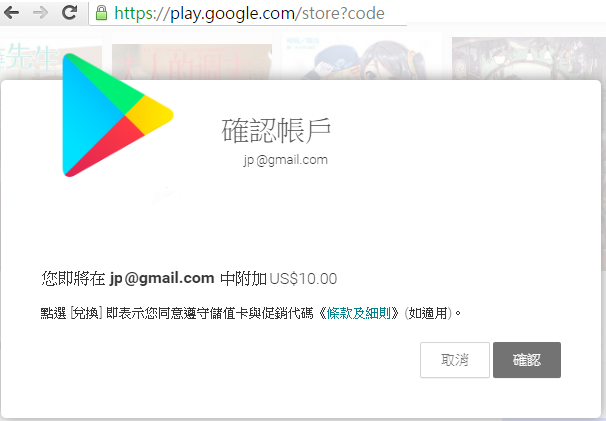
4.儲值完畢後可按帳戶查詢,這邊會顯示您google錢包現有餘額

5.日幣只能儲值日本Google帳號
且只支援日版Google Play商店APP
美元只能儲值美國Google帳號
且只支援美版Google Play商店APP
按下購買就會扣除您儲值在錢包的餘額
(PS:APP數量眾多,請自行查詢是否支援您所儲值的貨幣付款)


I read this text with great interest and found several useful insights. The explanations are accompanied by practical examples that aid understanding. I printed some parts to have them available while working. It is a text that stands out for the quality and clarity of the information.
This article offers a complete and well-articulated view of the topic. Each section adds relevant information without being repetitive. I read the article in full without skipping any part. It is a well-made text that answers many questions on the topic.